


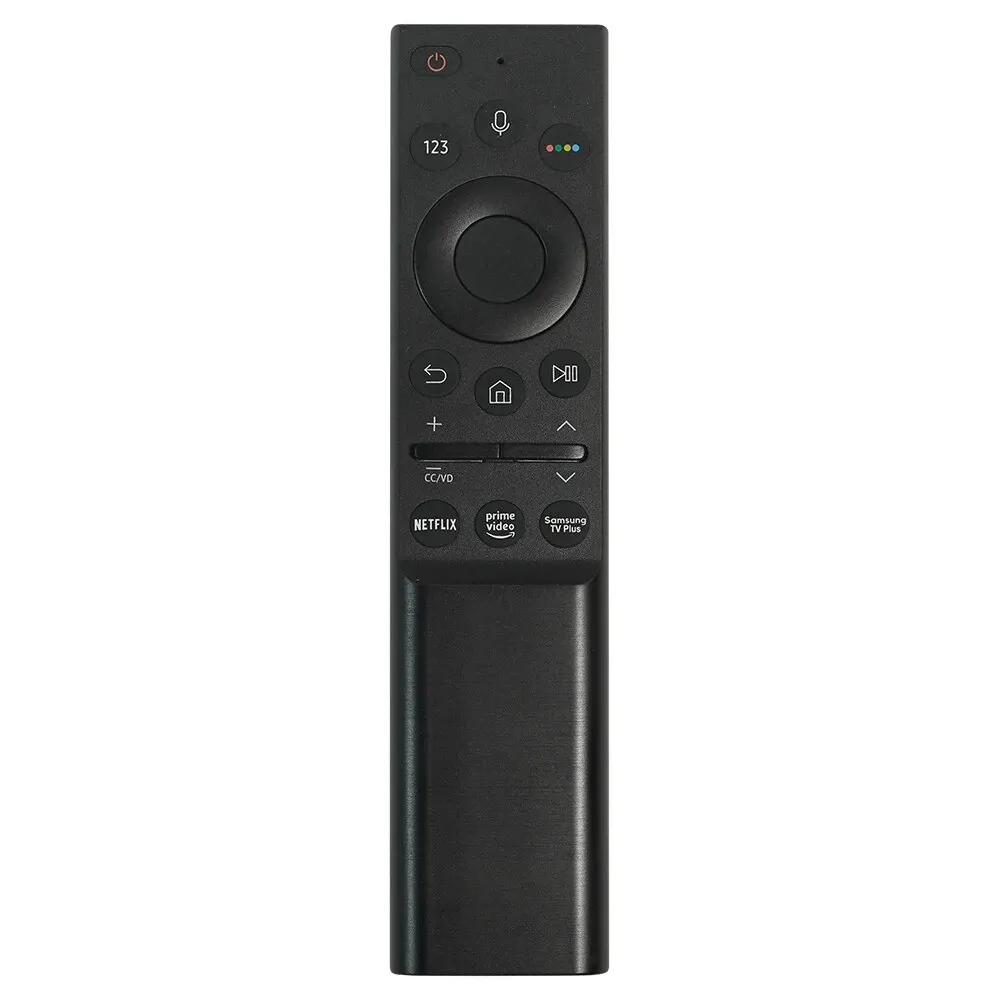
**Function: Voice Remote Control**
Long-press the **Voice Key** to activate the voice assistant for content searches and device control. Easily explore vast libraries of movies, shows, apps, and games. **Quick Content Access**: Stream media effortlessly via an intuitive TV interface. Start from the main menu to instantly launch your favorite content.
**Easy Setup**: No programming or pairing required. Insert two new AAA batteries (not included) to begin using. Browse hundreds of channels and apps to find what you want to watch.
**Reset Guide**:
If the remote malfunctions:
1. Remove and reinsert fresh alkaline batteries.
2. Follow these steps to reset the remote:
– **Range**: Place the remote within 10 meters of the Fire TV device.
– **Button Combination**: Press and hold the **Left**, **Menu**, and **Back** keys simultaneously for 10 seconds.
– **Wait**: Allow 60 seconds for the reset to complete.
**Remote Reset & Pairing Steps**:
1. **Power Off**:
– Remove batteries from the remote.
– Unplug the Fire TV device.
2. **Wait**: Keep devices unpowered for 60 seconds.
3. **Reconnect**:
– Plug the Fire TV back in and wait for the startup screen.
4. **Pairing Mode**:
– Press and hold the remote’s **Home** button for 10–15 seconds until the LED flashes rapidly. Release.
– Wait 30–60 seconds (LED continues blinking) for automatic pairing.
**Troubleshooting Failed Pairing**: Repeat the steps above if pairing fails.
—
**Product Name**: Voice Smart Remote
**Compatible Models**:
– AMZ Fire TV Stick 4K, Lite, 4K Max
– AMZ Fire TV Stick (2nd Gen, 3rd Gen)
– AMZ Fire TV Cube (1st Gen, 2nd Gen)
– AMZ Fire TV (3rd Gen, Wall Mount Design)
– AMZ Fire TV Stick 4K Bundle
**Incompatible Models**:
– Fire TV (1st Gen, 2nd Gen)
– Fire TV Stick (1st Gen)
– Fire TV Edition Smart TVs (e.g., Shiba/Insignia/Westinghouse models).
—
**Post-Pairing Issues**:
– **Device Overload**: Unresponsive behavior may occur if too many external devices are connected, causing signal interference.
– **Legacy Device Conflict**: Old remotes still connected to the device (if batteries remain) can block the new remote from functioning.
—
**Alternative Solutions Without Original Remote**:
1. **Mobile Phone Control**:
– Use the **Fire TV app** on a smartphone as a temporary remote.
2. **Pair a New Remote**:
– Open Fire TV **Settings** > **Controllers & Bluetooth Devices** > **Add New Remote**.
– Press and hold the new remote’s **Home** button until the LED blinks.
– Follow on-screen prompts to press the original remote’s center button (ensure it is functional).


 Appliances
 Bedding
 Christmas Decorations
 Decor
Decor Health & Medical Equipment
 Lighting
 Smart Home
 Storage
 Textiles
W***a –
Very well packaged, great control, worked perfectly.. highly recommend… I didn’t have on/off and volume controls, it was great.
V***a –
Everything works, thanks to the seller, the delivery was very fast! Everything works, thanks to the seller, the delivery was very fast!
Shopper –
The Fire Stick controllers arrived on time and everything was in order.
I haven’t tested it yet. But still, I recommend this controller. I’ve bought several. I also recommend the store for purchases. Thank you to everyone involved.
Shopper –
I bought 2 Fire Stick controllers. I recommend the controller for purchase and also recommend the store for purchase. Thank you.
j***l –
Great, I just configured it and it worked perfectly. I will buy again when it breaks again
F***o –
The check arrived quickly, well packaged, and is of good quality. Working 100%, I recommend!
n***o –
Great quality, working perfectly. I recommend it.
Shopper –
The remote control arrived all right, well packaged.
It took a little longer due to the Brazilian postal service.
But everything is fine. There it is, I haven’t tested it. I have already purchased
Several of this controller in this store. I recommend it.
store for the purchase. Thank you.
M***2 –
hdhwjjfjjhhxhhw diiw b jdiw diiqjbdhdiiwbdifiiwiehr diuwijd diiwidjd diiwiwiiidud diidiirhtifir gigigith
w***s –
Arrived very quickly, exactly as advertised, I recommend to everyone, excellent quality product, I will even buy more.
n***o –
Great service that meets specifications, I recommend buying.
R***s –
Works perfectly
V***s –
Great control. Does not come with batteries. To configure, simply hold down the home button for 10 seconds. Basic TV remote accepted the control..
A***J –
Good quality, perfect functioning, and aesthetics very similar to the original. I recommend.
a***r –
Very good.
D***s –
Good product
Shopper –
Very good very good very good very good very good very good very good very good very good very good very good.
B***o –
Tested and approved.