





Impressed at first sight.
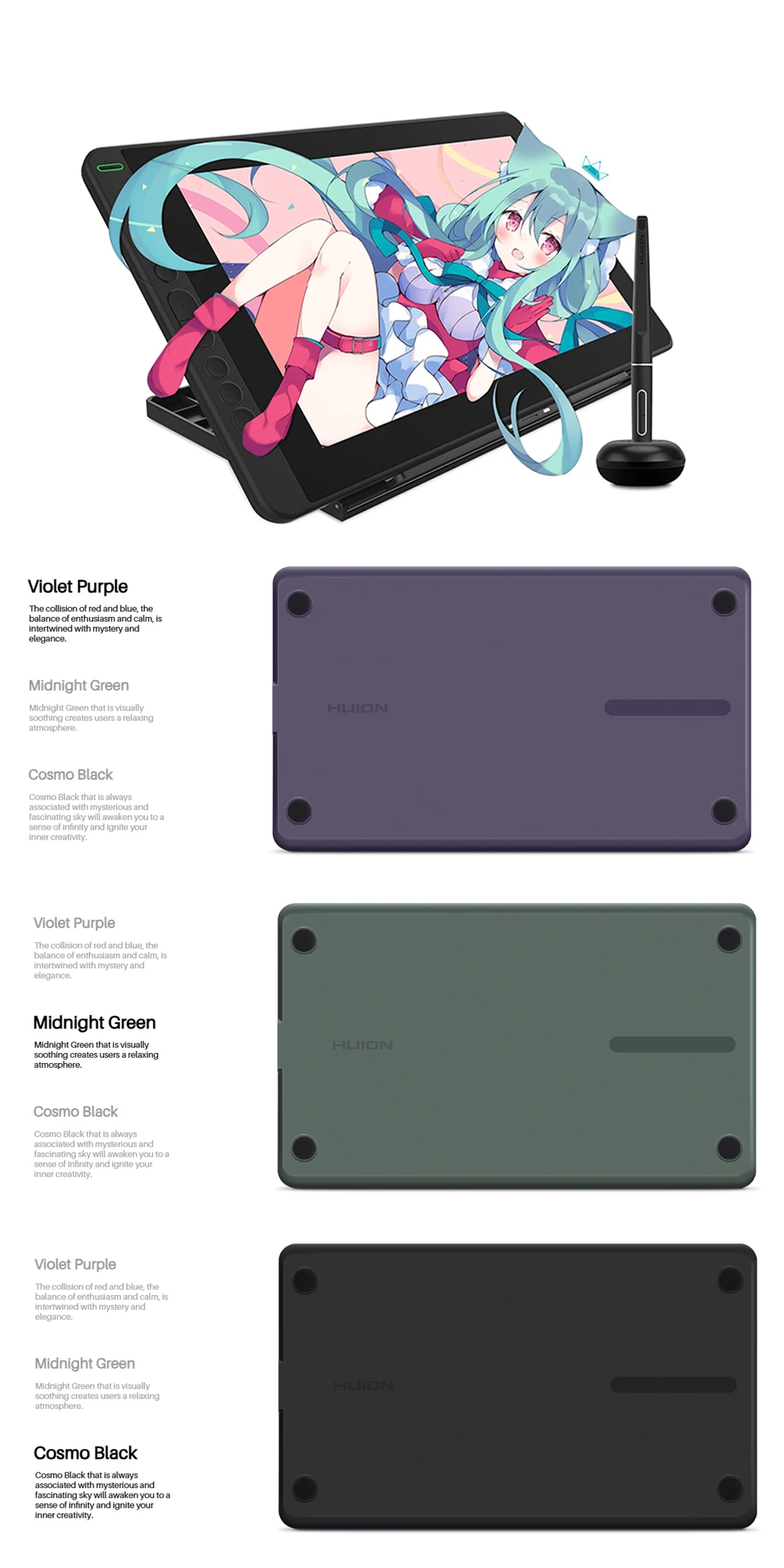
The creative Kamvas 13 with eye-catching appearance is available in 3 colors, Midnight Green, Violet Purple and Cosmo Black, which offers more choices for users to fit their styles.
Light enough for better convenience.
Kamvas 13 is 11.8mm ultra slim and weighs only 980g, which makes it an easy-to-carry pen display for outdoor drawing.
Easy and quick connection.
Besides a Type-C to HDMI connection, Kamvas 13 also supports a Type-C to Type-C connection. Users can connect laptop that supports Type-C input to Kamvas 13 easily without using a Type-C to HDMI adapter.
Power it with ONE USB cable.
The low power consumption design enables Kamvas 13 to be powered by a laptop directly. To power on the pen display, users only need to connect Kamvas 13 to a laptop that runs on 5 volts or above via a USB cable.
* USB-C on device should at least support USB3.1 GEN1 data transfer protocol and DP 1.2.
* Extra power supply is needed under connection with Android device.
*List of Compatible Android Devices
Gorgeous, stunning and realistic.
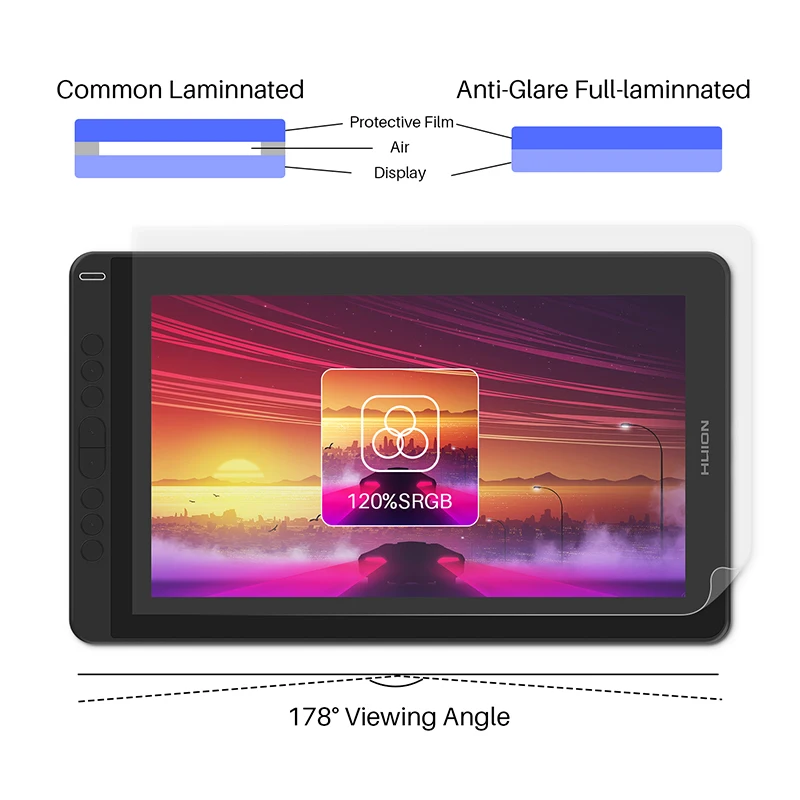
Full HD IPS screen that boasts 178° viewing angle and extra wide color gamut 120% sRGB will bring you vivid images with vibrant colors and details.
Full lamination, minimum parallax.
The full-laminated screen with an anti-glare screen protector ensures a comfortable visual experience. The glass combines seamlessly with the screen to minimize the parallax, and at the same time, the anti-glare screen protector helps to keep your screen clear and transparent even under bright light.
Updated technology PenTech 3.0
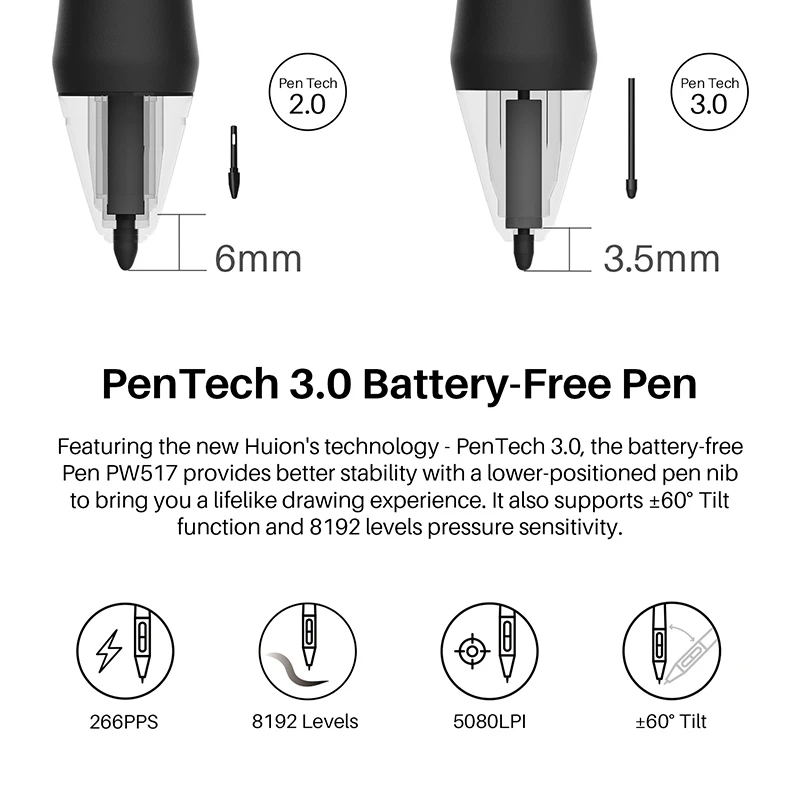
The upgraded pen technology enables pressure applied to be captured sensitively and lines input to be rendered in a more organic way.Battery-free pen PW517 is optimized with a highly-sensitive and stable pen nib to ensure a more lifelike drawing experience as you’re using a regular ball point pen.
Pen Display or Pen Tablet?
Kamvas 13 can be switched easily between two modes, Pen Display and Pen Tablet.
Pen Tablet mode will be activated when the screen of Kamvas 13 is off, which not only
helps to save power, but also offers another way for users to express their creativity.
*Please power Kamvas 13 off and reconnect it to laptop via a USB cable to activate the Pen Tablet mode.
With 8 programmable press keys, Kamvas 13 is ergonomically designed
to facilitate your operation.
Great partner with strongcompatibility.
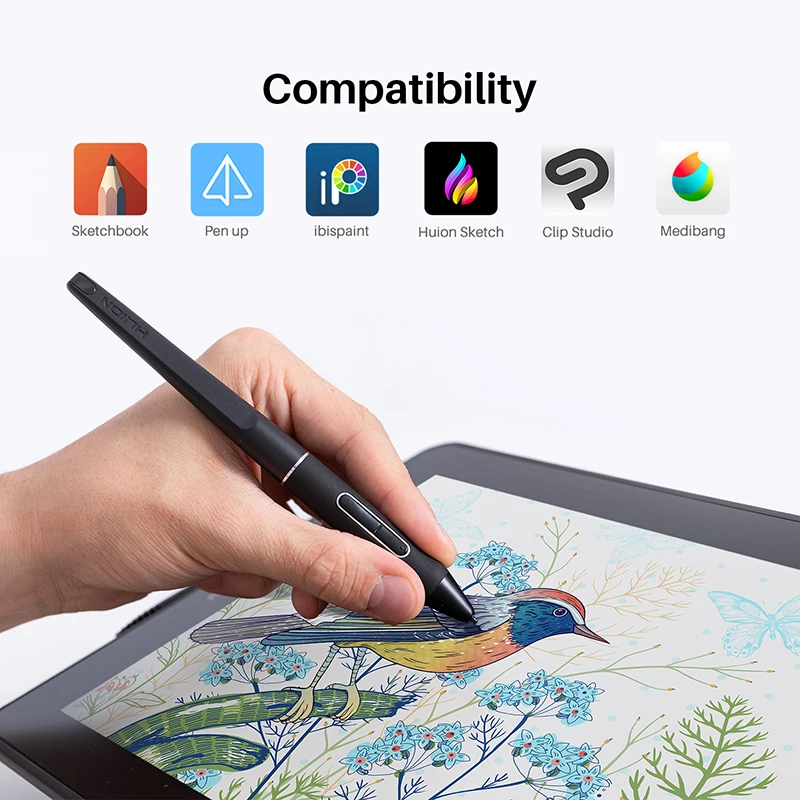
In addition to Windows and macOS, Linux OS, Kamvas 13 is also compatible with certain Android devices, which enables you to create on mainstream drawing software with Kamvas 13 connected to your favorite peripheral.
What is in the box?
Kamvas 13 Pen Display, Digital Pen PW517, 3-in-1 USB-C Cable, Pen Holder PH05, Pen Nib x 10, Pen Clip Press Key, Cleaning Cloth, Quick Start Guide. (*Adjustable Stand is optional.)
Notice: It does not contain a full featured Type-C cable, if you want such a cable, please click “product link” to buy.
FAQs
Is there an anti-glare protection film on the Kamvas 12/13/16 (2021) surface?
Yes. The Huion Kamvas 12/13/16 (2021) is equipped with an anti-glare protection film, which can alleviate the glare effect caused by surroundings and improve brightness. Meanwhile, the matte finish of the protection film is more similar to the texture of the paper. You can enjoy a life-like drawing experience.
What is Huion PenTech 3.0 technology?
To achieve a better user experience, Huion first brought PenTech 3.0 with the pen display Kamvas 12/13/16 (2021). The new generation pen uses a new sensor model. The sensor position is lower from 6mm to 3.5mm. A lower sensor position means quicker response and reduces the idling distance from 0.8mm to 0.3mm. The pen nib shape is also optimized for better accuracy. With the new PenTech 3.0, the pen now follows every pen movement tightly.
Does the Huion Kamvas 12/13/16 (2021) have touch input?
No, the Kamvas 12/13/16 (2021) do not have touch input.
Do I need to connect the Huion Kamvas 12/13/16 (2021) to a computer to make it work?
Yes, the Huion Kamvas 12/13/16 (2021) is a drawing monitor. You need to connect the monitor to a computer/laptop/Android device to make it work.
How do I connect the Huion Kamvas 12/13/16 (2021) to my computer?
The Huion Kamvas 12/13/16 (2021) is equipped with two USB-C ports. With the two USB-C ports, you can connect the Huion Kamvas 12/13/16 (2021) according to your needs.
How do I connect the Huion Kamvas 12/13/16 (2021) to my phone?
The Huion Kamvas 12/13/16 (2021) can be connected to an Android phone or tablet via a full-featured USB-C to USB-C cable. (Note: When a phone is connected, an extra power supply should also be in place. Connect the pen display to a power adapter/ power bank via a USB charging cable/3-in-1 cable/phone charging cable.).
In order to have a full-screen display, you need to turn on the Desktop Mode (EMUI) of your Huawei phone or the Dex Mode of your Samsung phone.
Can I use a USB-C to USB-C cable from other brands on the Huion Kamvas 12/13/16 (2021)?
Sorry but no. Please purchase the cable through official channels, as it is customized, and cables from unknown sources may not be compatible with the device.
What operating systems support the HuionKamvas 12/13/16 (2021)?
Windows 7 or later, Mac OS 10.12 or later, Android 6.0 with USB3.1 and DP1.2or later, Linux(Ubuntu 20.04 LTS)
Does the HuionKamvas 12/13/16 (2021)work on Linux?
Yes, they can work on Linux. These Huion devices currently only support Ubuntu. We are working on supporting other Linux distributions and will keep you posted.
Where can I find the latest driver forKamvas 12/13/16 (2021)?
You can download the latest driver at ourofficial website.






 Appliances
 Bedding
 Christmas Decorations
 Decor
Decor Health & Medical Equipment
 Lighting
 Smart Home
 Storage
 Textiles
D***s –
Excellent, you can buy without fear, with a good price and delivered very quickly where I live.
Э***ч –
I bought a gift, instead of a vacuum, the diagonal is the same but much lighter, the pen looks very similar to a vacuum one, but in general the gift was given away)
M***a –
excellent article delivered quickly
י***ן –
Cool graphic tablet
Л***а –
Very convenient! If you couldn’t set up the driver the first time, don’t worry. Restart your computer
M***t –
That’s cool!! I love it! !
M***Z –
The delivery was fast and so far everything is fine. In a few months, I will be able to provide more details.
B***s –
I wasn’t very confident that the product would actually come, especially with the price it was. I really liked it, I am very happy. Easy to set up. Thank you very much
Shopper –
Fast delivery.
Item functioning correctly, without any issues, well packaged, easy to set up and use.
Honestly, I am very satisfied with the overall service, from the product, customer service, and delivery. It was really worth it.
6***r –
It arrived very quickly and everything is fine. Thank you! !
Shopper –
The product arrived very well packaged and the quality of the display surprised me greatly! I am very satisfied and it even encouraged me to draw more!
С***ч –
It arrived in 3 days, everything intact and working. My wife is happy as an elephant.
A***k –
Had issues with logistics company, but i’m very very happy with the product itself. It’s really quick and easy to set up, everything is adjustable, the instructions are easy to understand, and the driver is very easy to configure. Really blew away my expectations, this is a really good choice for anyone looking for a good screen tablet. The price is good too, the stand is super sturdy and good, adjustable in many ways. Very happy!