





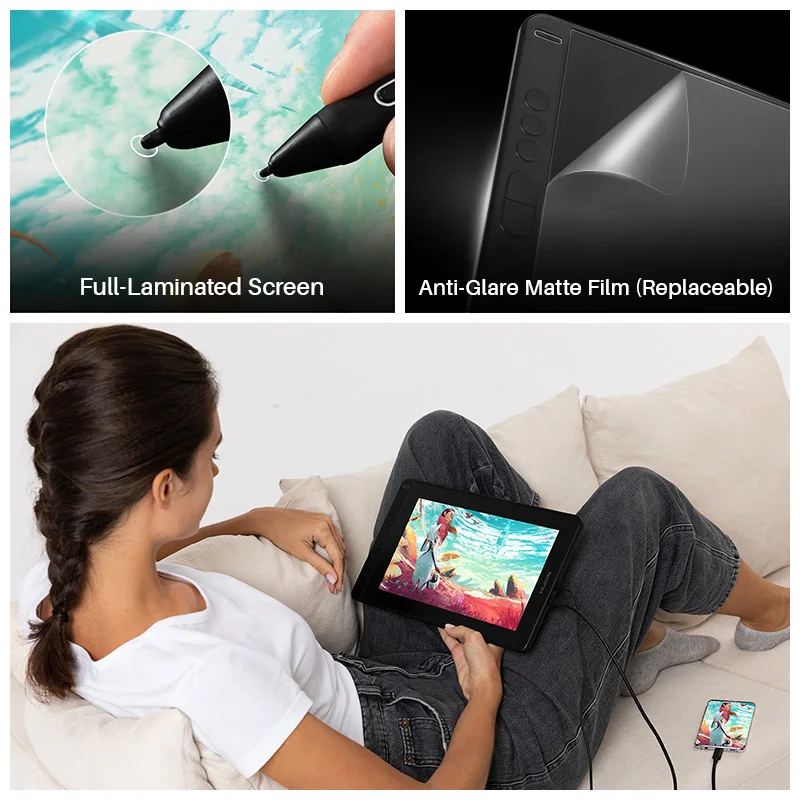
AG Screen Protector
â‘ Alleviate the glare effect caused by surroundings and impove the brightness.
â‘¡ Matte finish that is more similar to the texture of paper.
Full-laminated screen
â‘ Parallax is minimized as the air gap between the IPS screen and AG glass is eliminated.
â‘¡More luminace comes through the AG glss and thus an optimized drawing experience.
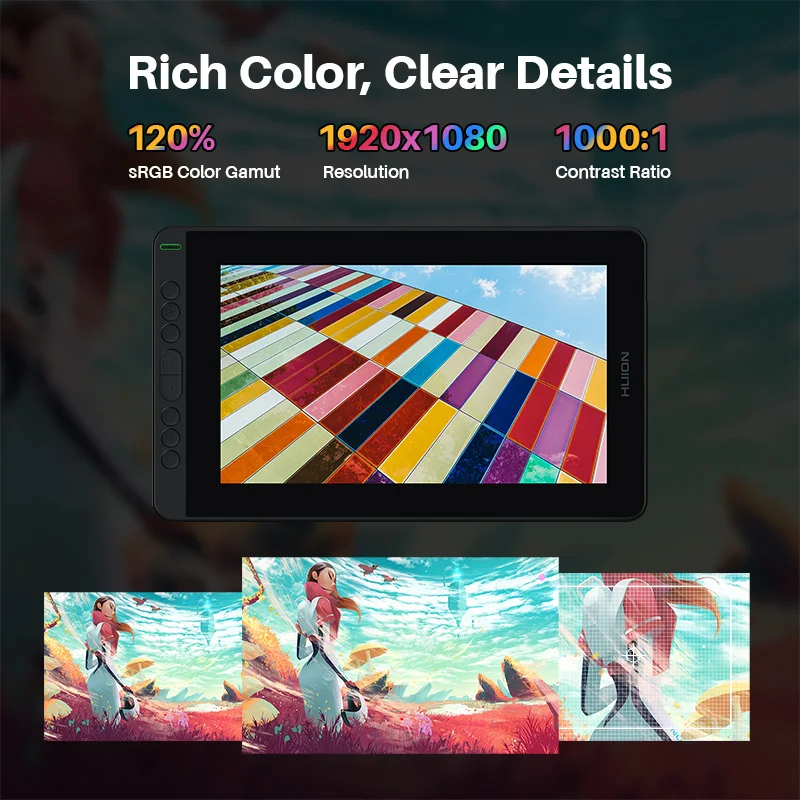
120% sRGB color gamut
*Boasting 16.7M(8bit)display colors, 120% sRGB color gamut ensures a better display effect with more natural colors.
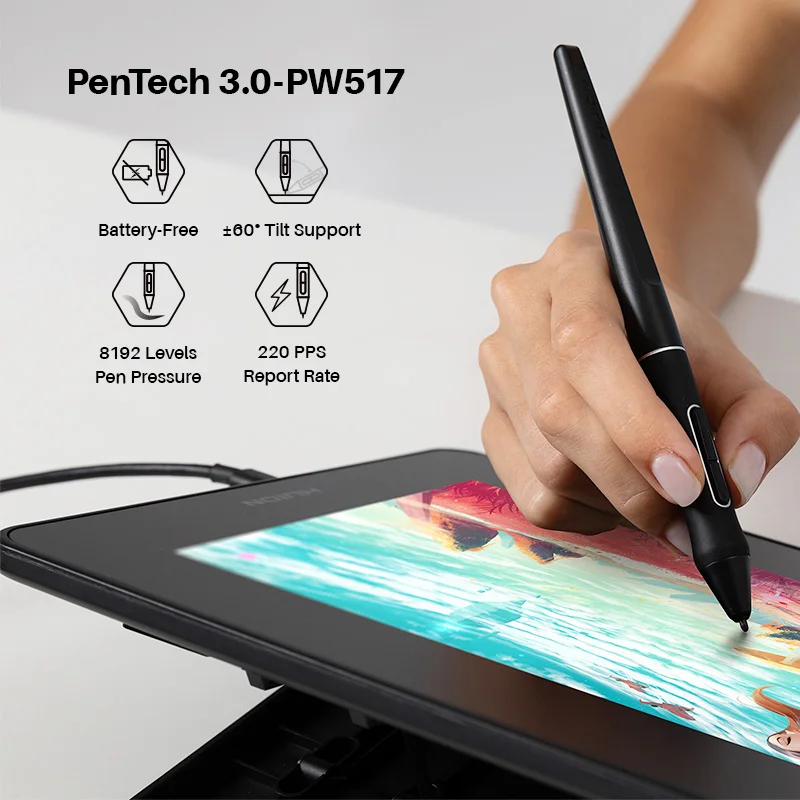
8192 levels of pressure sensitivity
Enables lines input to be rendered in various thickness just like real pen work on the paper.
5080LPI Pen Resolution
Works together with the latest battery-free digital pen PW517 to ensure a more clear image with delicate details.
PenTech 3.0 Battery-free Pen
â‘ Lower Magnetic Core Position, Higher Drawing Accuracy
â‘¡ The magnetic core is only 3.5mm above the pen nib of PW517, and thus brings higher drawing accuracy.
Tilt support
â‘ Brush can be tilted in the range of 60 degrees without compromising accuracy.
â‘¡ Various drawing techniques.
â‘¢ A more lifelike drawing experience.
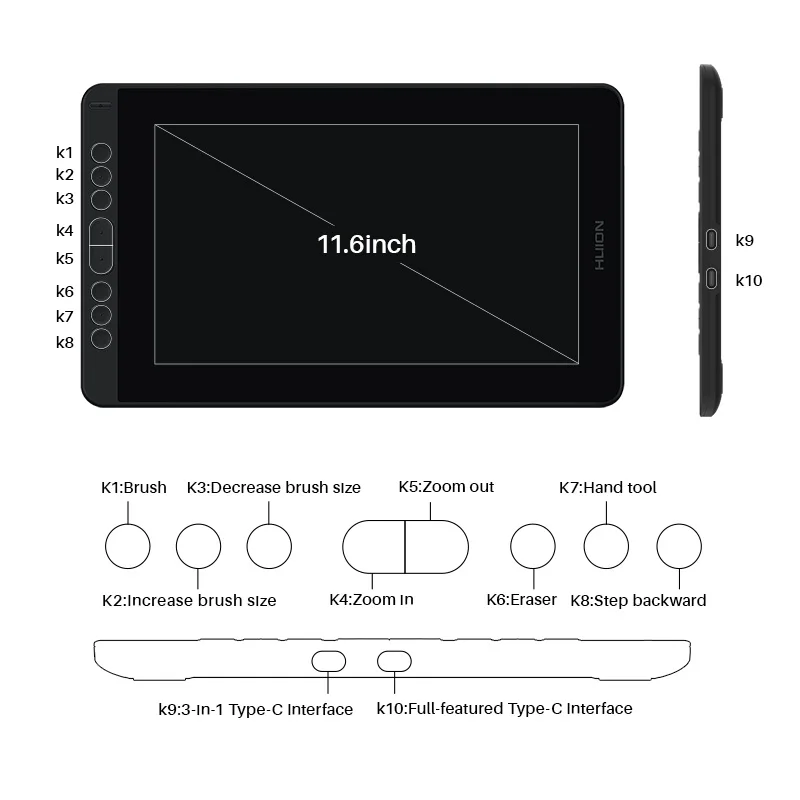
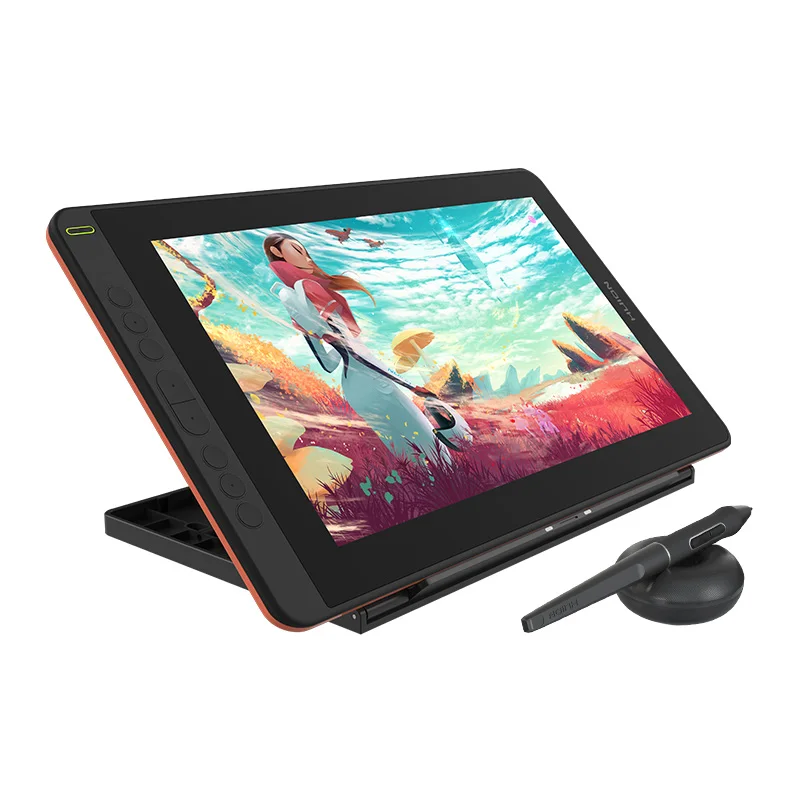
Press Key
â‘ 8 programmable press keys are created to maximize your working efficiency.
â‘¡ The concave surface of press key to optimize user experience.
â‘¢ User-friendly design with Braille on keys to facilitate your operation.
OSD Menu
switch between OSD menu & shortcut key functions:
â‘ Long press K4 and K5 for about 3 seconds to call up the OSD menu. The green power indicator will flash and the function of K2, K3, K6 and K7 will be switched as follow.
â‘¡ K2:This button can be used to automatically adjust the canvas, and when it comes to the OSD menu, it will serve as a return key.
③ K3:Button to call up OSD menu. On OSD menu, it will serve as a key for you to confirm your operation.
â‘£ K6: Button that is equivalant to “+â€. You can use it as Up or Right key.
⑤ K7: Button that is equivalant to “-â€. You can use it as Down or Left key.
â‘Â¥ quit OSD menu: Long press K4 and K5 for about 3 seconds.
Connectivity with Android Device
*Support usability on phones via USB-C to USB-C cable (optional) connection.
Pen Tablet Mode
*Pen Tablet mode will be activated when the screen is off, which helps save power to offer a longer working time.
Method to activate Pen Tablet Mode:
â‘ In case the pen display is off, just connect the pen display to the laptop with a USB cable and power the laptop on.
â‘¡ In case the pen display is on, please power it off first and then reinsert the male plug of the USB cable to the pen display.
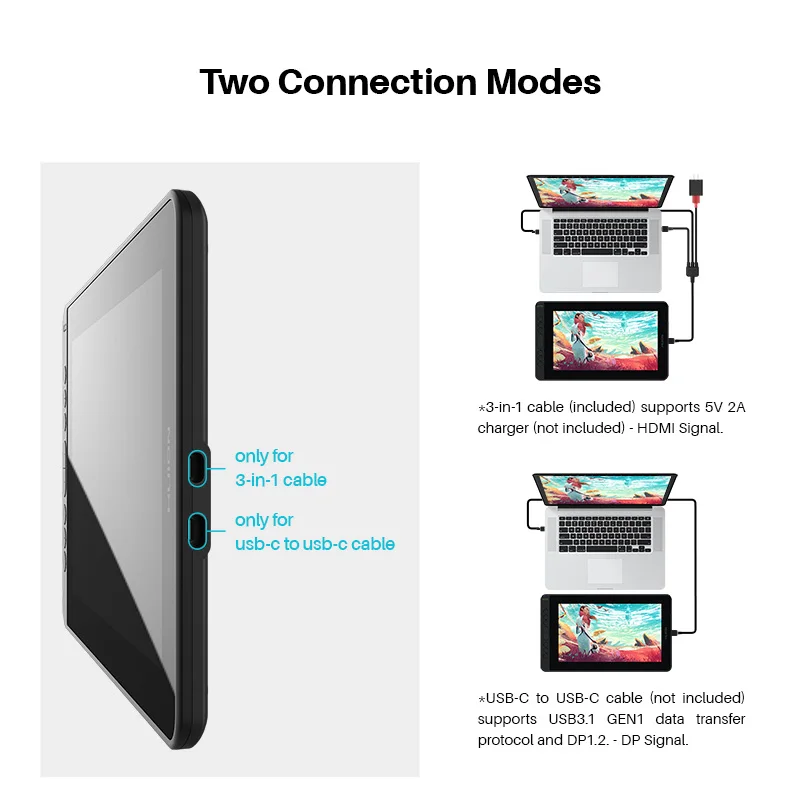
3-in-1 Cable(HDMI Mode):
*Insert the USB-C male plug of the 3-in-1 cable to the USB-C port on the device â‘ , and then connect the HDMI and the black USB-A cables to the PC respectively.
*If the output voltage of PC is insufficient, in such case, you need to insert the red male plug of 3-in-1 cable into a power adapter/USB 3.0(or above) port.
USB-C to USB-C Cable(DP Mode):
*Connect the pen display to PC or Android device with the USB-C to USB-C cable(optional) via port â‘¡,
* When an Android phone/tablet is connected or the guage of laptop is insufficient, please use the USB power adaptor(optional on K12/K13,standard on K16 ) and USB charger cable(optional) /3-in-1 cable to power up the device via port â‘ .
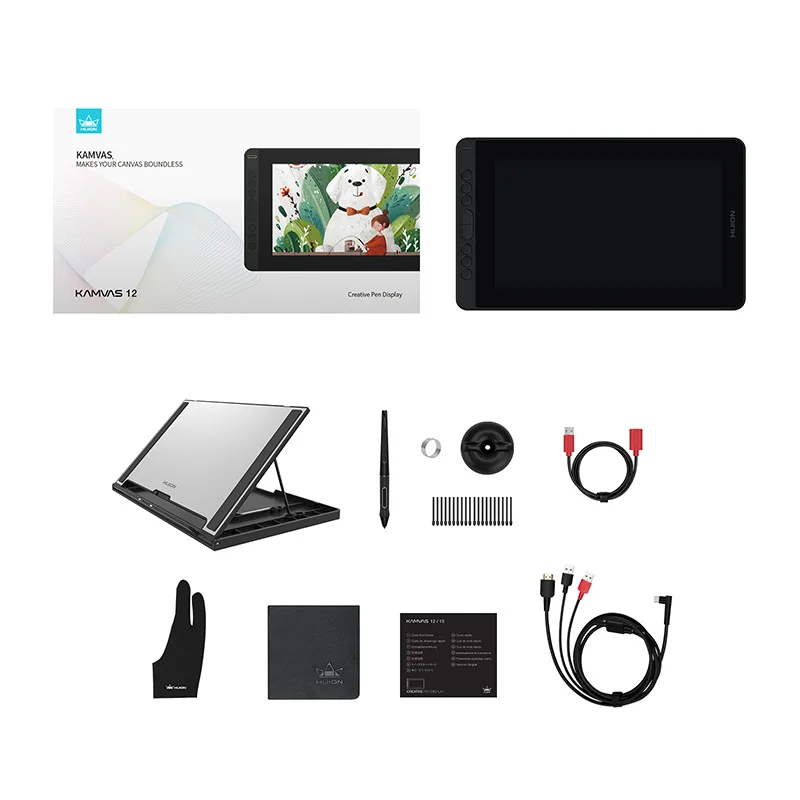
What’s in the box
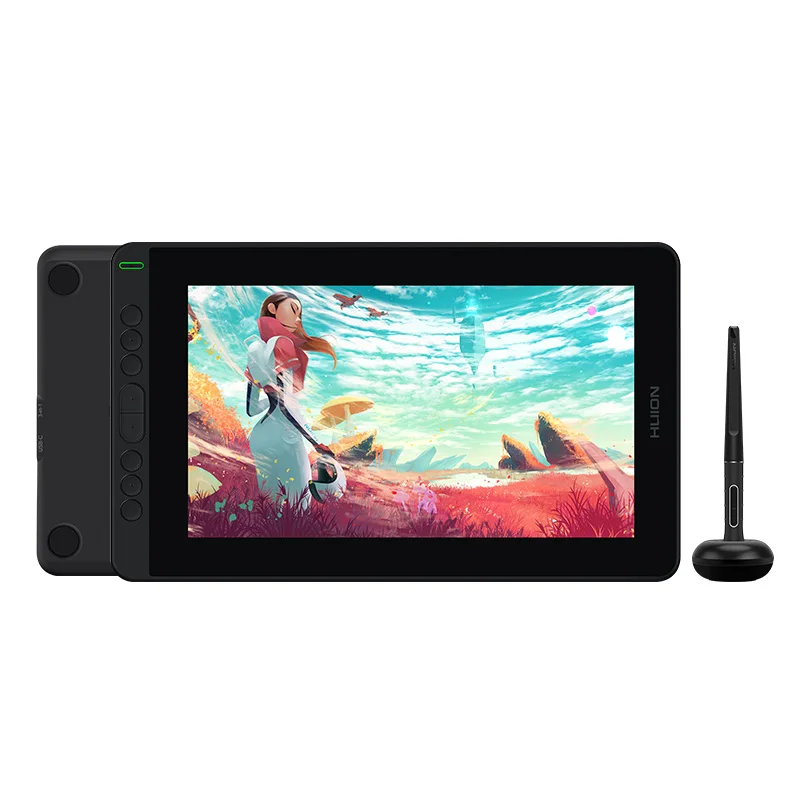
1, digital pen
2, pen nib×10
3, pen holder
4, pen clip
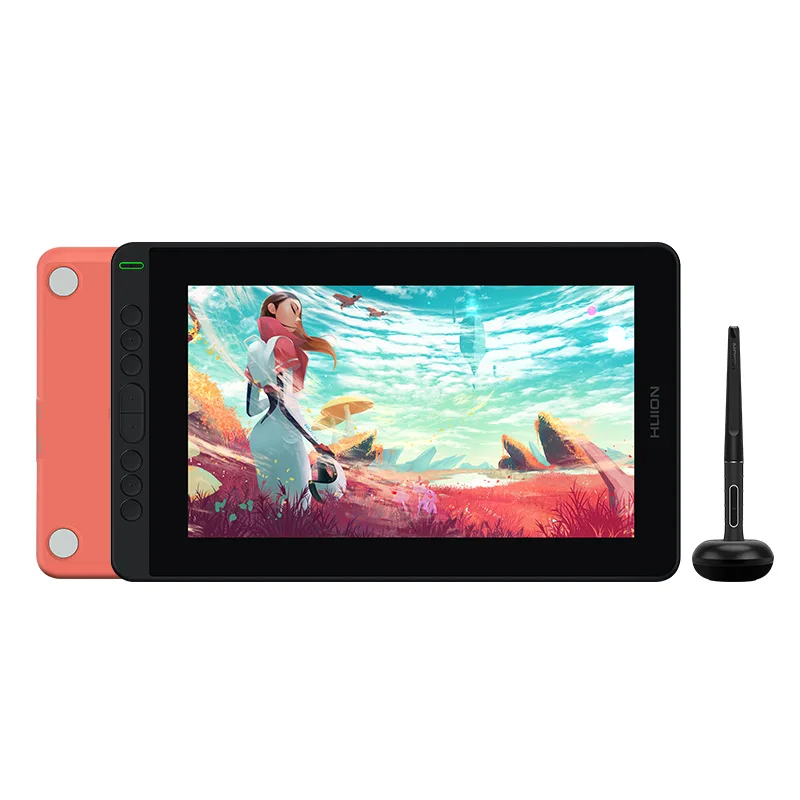
5, pen display (2 colors)
6, 3-in-1 USB-C cable
7, extension cable
8, quick start guide
9, warranty card
10, cleaning cloth
11, glove
*USB-C to USB-C cable and foldable stand are optional








 Bedding
 Christmas Decorations
 Home Decor
 Health & Medical Equipment
 Lighting
 Smart Home
 Storage



Т***а –
I’ve been working with him for 4 months now. It works well, I like everything. light brown is slightly different from computer, but this can be configured.
Р***ч –
everything arrived safe and sound
М***а –
Delivery by mail was delayed by 4 days from the specified date. packaged well, stand, wires, stylus, patches, gloves, everything came included… now we’re setting up the tablet… while everything is fine, if there are any disadvantages I’ll add to the review.
Shopper –
excellent tablet for drawing, decent equipment
М***а –
Works perfectly on both macOS and Windows.
There was a moment when connecting to Windows, the screen displayed strangely, I attached it to the review, they thought it was broken, but on macOS everything was fine. Then it turned out that the display bit depth in the settings was 10 bits, changed it to 8 and everything became fine. I wrote this in case anyone has a similar situation.
The sensitivity of the pen is good, easy to adjust, the working area is quickly calibrated, color distortion is not strong and easy to adjust. Very happy with the purchase.
К***ч –
Everything is good, especially for the first tablet. But, they could have included a type-c cable. Moreover, not everything will fit in there due to the peculiarities of the case. Mine didn’t go in. Need to order again
a***r –
Delivered faster than planned.
The packaging is in perfect order. everything is in place.
We are using the tablet, so far only good impressions.
А***ч –
I bought it as a gift, a good graphic tablet.
А***ь –
The product is as described in the description. Everything works. Everything is fine. If you connect it to a computer, keep in mind that you need to connect via HDMI to the video card connector, not the motherboard connector.
D***s –
It works well, I replaced my XPen Artist 10 with this one since the previous one has a loose C input, this one is fine however it doesn’t work with Gimp, otherwise it’s good.
S***i –
It arrived fast, in a good package, it works great, i am very satisfied.
Shopper –
Excellent.
П***ч –
все понравилось, упаковка целая, доставка быстрая, брал дочьке на НГ. проверил все работает